Today we released a small maintenance update that also includes a couple of fixes. We also migrated the AI image generation for "Extended" subscribers from OpenAI DALL-E 3 to Gemini 3.1 Flash Image.
We’ve launched the MCP server in public beta, making it easier to connect your knowledge base content with MCP-compatible clients and workflows.
With our MCP server, you can:
List knowledge bases, categories, and articles
Search articles using both keyword and semantic search
Access eniston content more flexibly through supported MCP integrations
This release is still in beta, so some parts may continue to evolve as we improve the server based on real-world usage.
We’d love your help testing it. If you try our MCP server, we’d greatly appreciate your feedback as we continue refining the beta experience. Please create a ticket from within the logged-in area and let us know your thoughts, comments, complaints etc.
To get started, have a look at this help article, which is also still a work in progress.
Today, we released a fix for an issue that occurred when editing or deleting a Section.
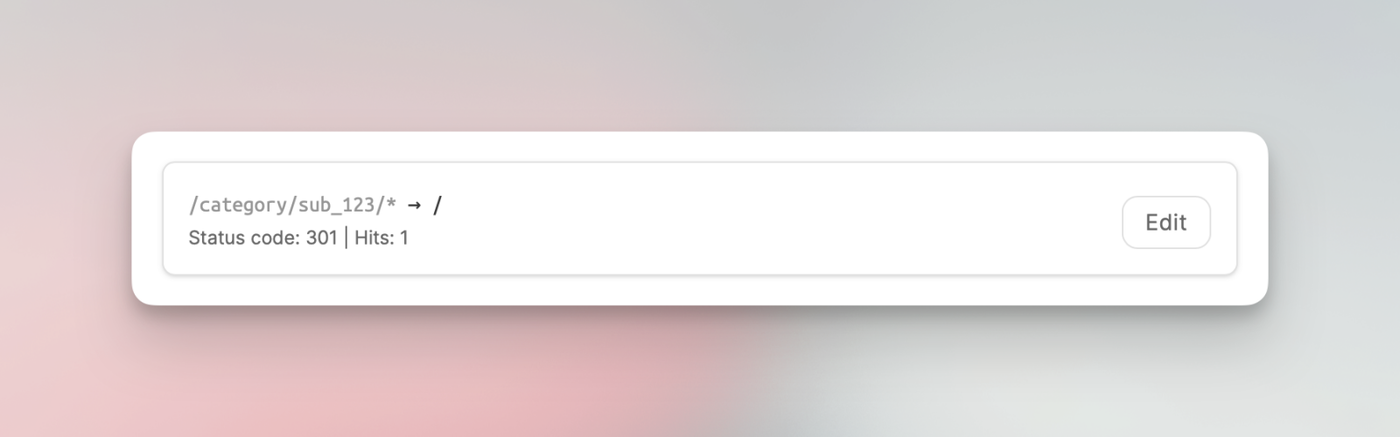
In some cases, URL paths were not correctly updated when changing the slug of a Section or when deleting a Section altogether. This only affected the search results as the index wasn't updated and the old URL paths remained.
Navigation via the regular menus worked without any issues.
We are happy to finally introduce version history. 🎈
Have you ever wished you could go back in time and see previous versions of your content? Well, now you can! With version history, you can easily track and revert to earlier versions of your documents anytime you need.
This new feature is designed to make your workflow more seamless and give you peace of mind knowing that your progress is always safe.
I should note that only the latest 20 versions are stored; anything older will be deleted. Also, due to the nature of this new feature, anything stored before today is not included in the history.
Restoring deleted articles
One aspect of the version history is the option to recover articles that have been deleted recently.
While the published article itself is completely removed from our system, any leftover history will be preserved for 30 days following deletion. This allows you to bring back an article if it was deleted by mistake.
For more details about this new feature, check out our help article here.
As always, we love to hear your feedback, so feel free to reach out and let us know what you think.
Today, we deployed a fix for an issue where, in some occurrences, articles in password-protected categories were still publicly accessible. The problem was related to caching, where an article view was not always successfully purged from the cache after setting a password.
While we were at it, we also updated the search function to show only articles that viewers have access to. If a category is password-protected, the search will discard articles from that category until the viewer has successfully entered the correct password.
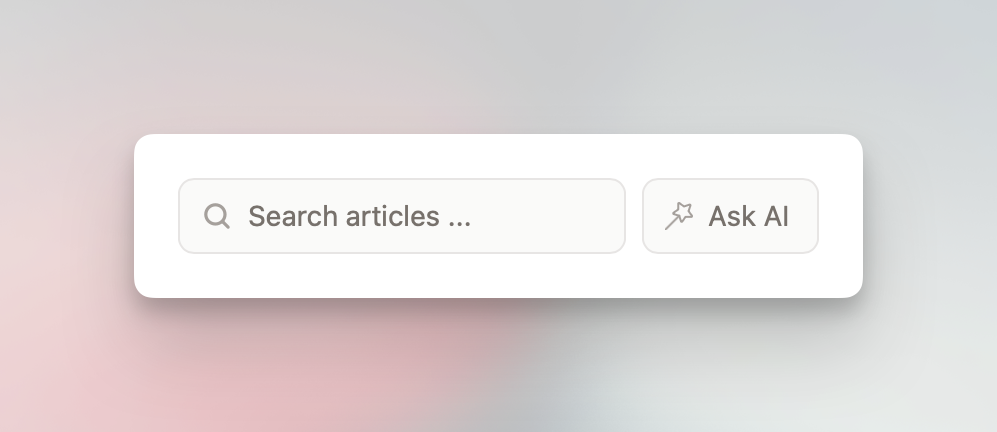
Today, we released a new feature that allows admins to enable "Ask AI" for their knowledge bases. This is part of the "Enhanced" add-on, which was previously called "Enhanced Editor". If you're already subscribed to the add-on, head over to the "Widget + Ask AI" section to enable the feature.
If you're not subscribed yet, check out the "Add-ons" section and give it a try. It's just EUR 6 per month (or EUR 60 per year) and can be canceled at any time. The add-on also includes AI features and additional formatting options for the editor.
With "Ask AI" enabled, visitors can ask questions about all published articles that are part of a workspace and receive concise and helpful responses. If the AI is unable to answer a question due to missing content, it will respond accordingly. Within the "Ask AI" section in the dashboard, you will see all questions and the corresponding AI responses from the past 90 days. Older records will be deleted.
The AI is not trained on your data, and this feature is disabled by default.
Today, we're happy to introduce a new way to structure content: sections.
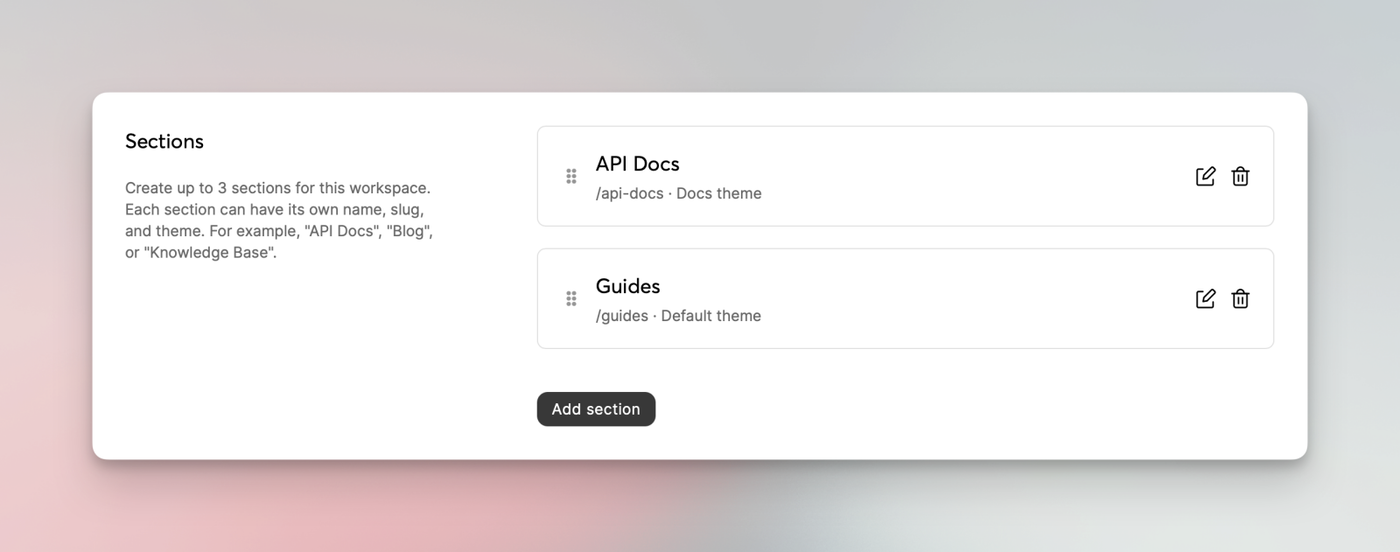
With sections, you can separate your categories by topic or, eh... section. For example, you could create a section called "Docs" to have your regular documentation articles there. You might create an additional section titled "Guides" to put all tutorial-like articles, and "API Docs" for API-specific categories and articles.
Sections can be created in the workspace settings. There's currently a limit of up to 3 sections.
Each section can have a dedicated theme applied. A "Blog" theme will be available soon, giving you 3 themes to choose from.
Consider this a v0.9 as we're still fine-tuning a few minor things. We'd appreciate any feedback and suggestions regarding this new feature.
Today we added support for importing invites for team members, API POST endpoints and other things.
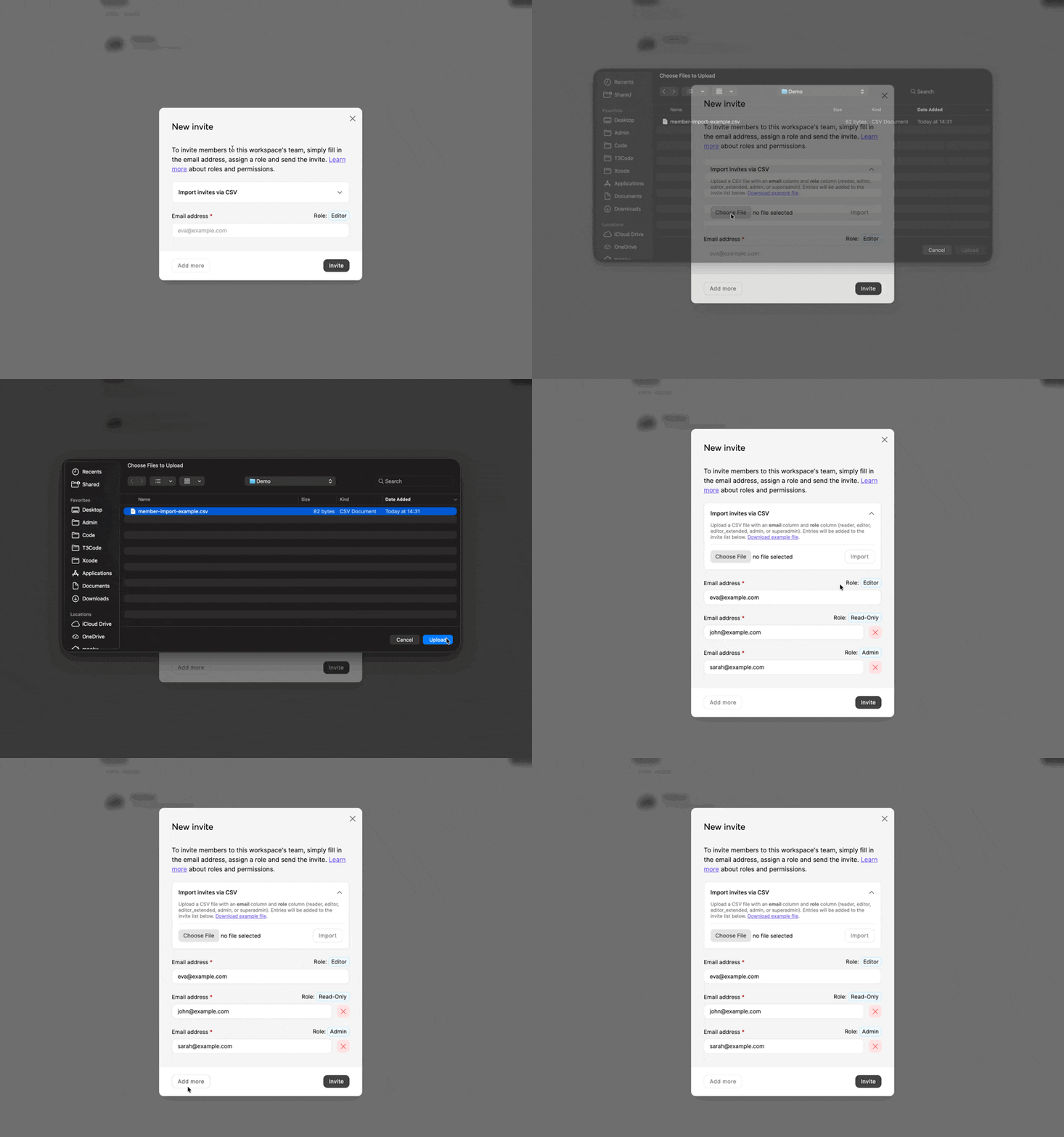
CSV import for team invites
Have a lot of team members who need access to your knowledge base? Adding them one by one can be tedious. We've made it easier.
Today, we released a feature to speed up the process. Simply upload a compatible CSV file (we provide an example), check to ensure everything looks fine, then send the invites.
API POST endpoints
We added 5 POST endpoints to the API. You can now create, update and delete articles and also create and update categories. The dedicated help center article has been updated to reflect these new endpoints.
It's currently not possible to delete a category via API (we may add this later).
TOTP code in addition to QR code
One issue mentioned quite often via support ticket was that not everyone could scan a QR code to set up two-factor authentication. We now display the setup key in addition to the QR code.
Enhanced Editor pricing and annual option
We have slightly reduced the price of our "Enhanced Editor" add-on from €7 to €6 and introduced an annual payment option, which offers two months free. It's not possible to switch plans directly, so if you have an existing subscription and want to switch to the annual plan, you will need to either cancel your monthly subscription and wait until the billing cycle ends before subscribing again or contact us to make the switch manually.
We hope the reduced price and the new annual option are welcome changes for those who are considering subscribing.
Today we're happy to introduce a new subscription plan: Business dedicated.
This plan includes the enhanced editor, unlimited workspaces, no backlink, dedicated CDN – all hosted on a dedicated server separate from our SaaS offer and optimized for consistent performance with dedicated vCPUs. No shared resources, no shared database and available in 6 server locations.
We offer a free migration for existing customers. If you're interested, feel free to fill out this form and we'll be in touch.
Today, we would like to tell you about a way to display your eniston help documents to your customers and visitors directly on your website or platform. Last year, we released a product called tinydub, a platform that allows you to create help widgets in combination with a team inbox.
We have now created a way for eligible eniston customers to generate a 50% discount code for tinydub. This discount will be applied for as long as your subscription is active. If interested, eligible customers can generate the discount code here.
If you need help getting started with tinydub and your eniston help documents, check out this article.
Today's update includes maintenance and security updates and also a feature many have asked for...
Preview drafts
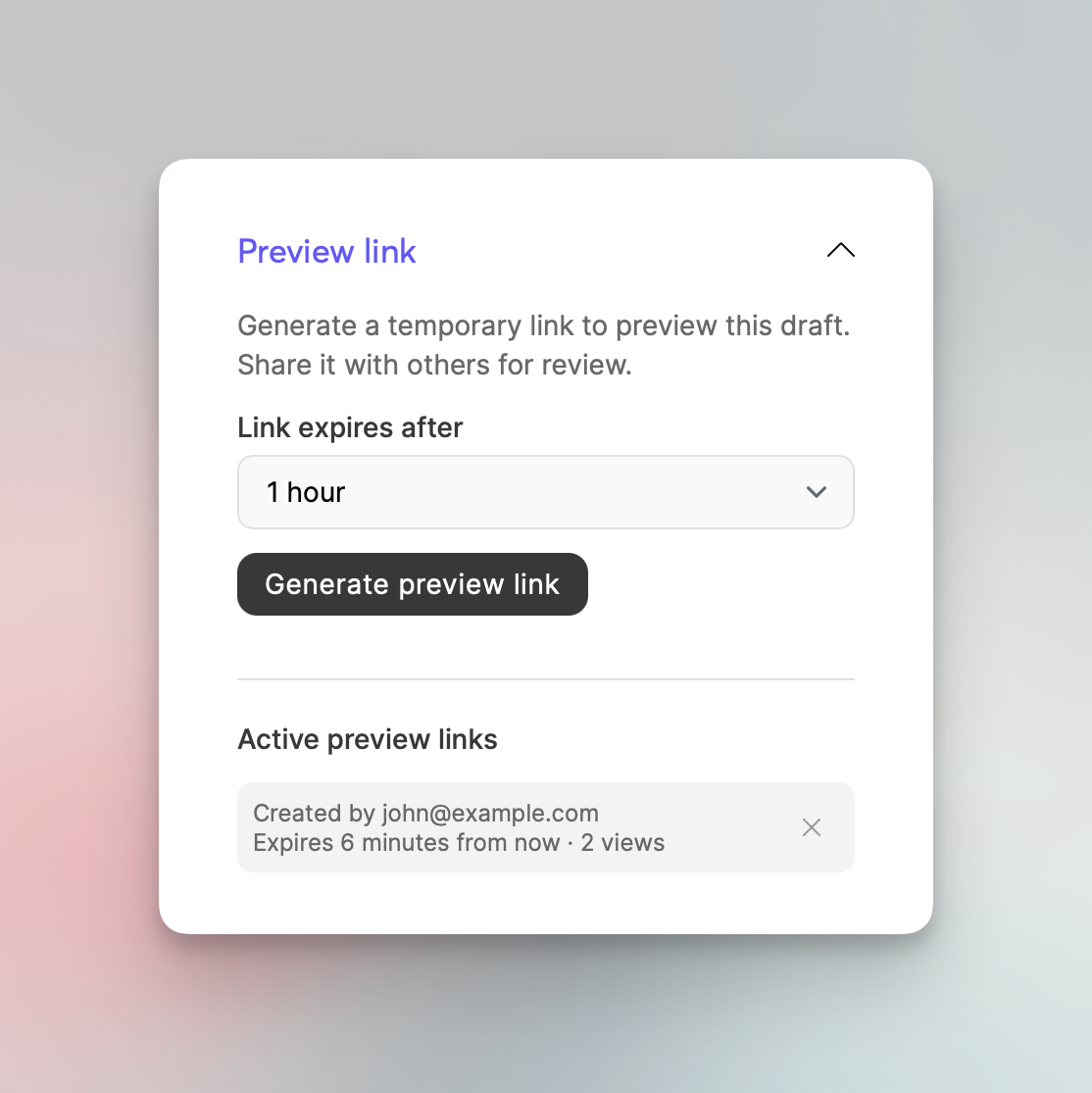
It's now possible to preview drafts and share them with anyone via a secure link. While editing a draft, check the article settings and find the "Preview link" section (it's the last section).
When creating a preview link, you can choose between multiple expiration times, the lowest being 10 minutes and the highest being 48 hours. You can manually expire links at any time.